A connected backoffice and online registration for Home of Dance
PREJ developed a custom web application for Home of Dance to support the organisation of its dance-school operations. The project brings together an internal backoffice and a public course-selection and registration experience for the school’s locations in Breisach and Freiburg. Course discovery, participant information and administrative review are parts of one connected workflow, while the office retains responsibility for confirmation.
What the platform connects
Public course discovery and registration requests
Course planning, attendance and office worklists
Contracts, electronic signing and invoice administration
From finding a course to a reviewed request
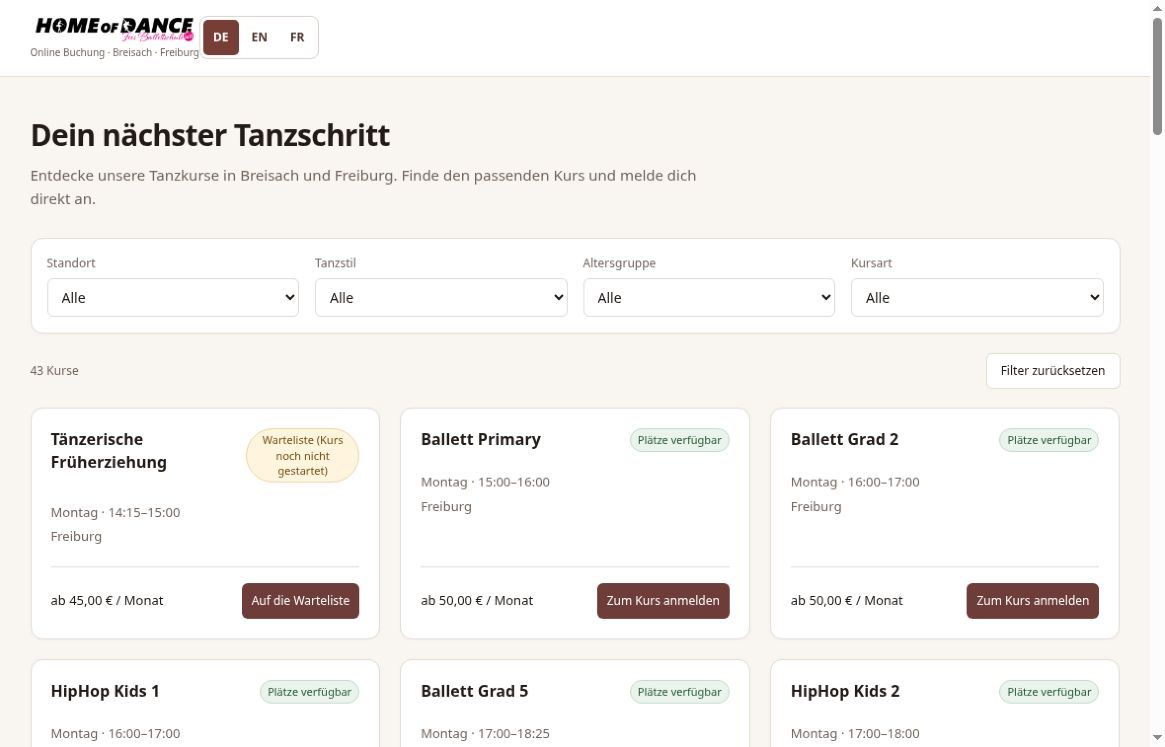
The public journey begins with choosing a suitable course, not with a generic contact form. Visitors can narrow the catalogue by location, dance style, age and course type. Availability and waiting-list states help explain which next step is available, and the selection can include more than one course. These controls connect the public interface to the school’s course offering without treating every request as the same transaction.
Original German public course catalogue for Home of Dance, shown without participant records. Course prices and availability may change.Explore the public course catalogue ↗
Structured information, with a clear confirmation boundary
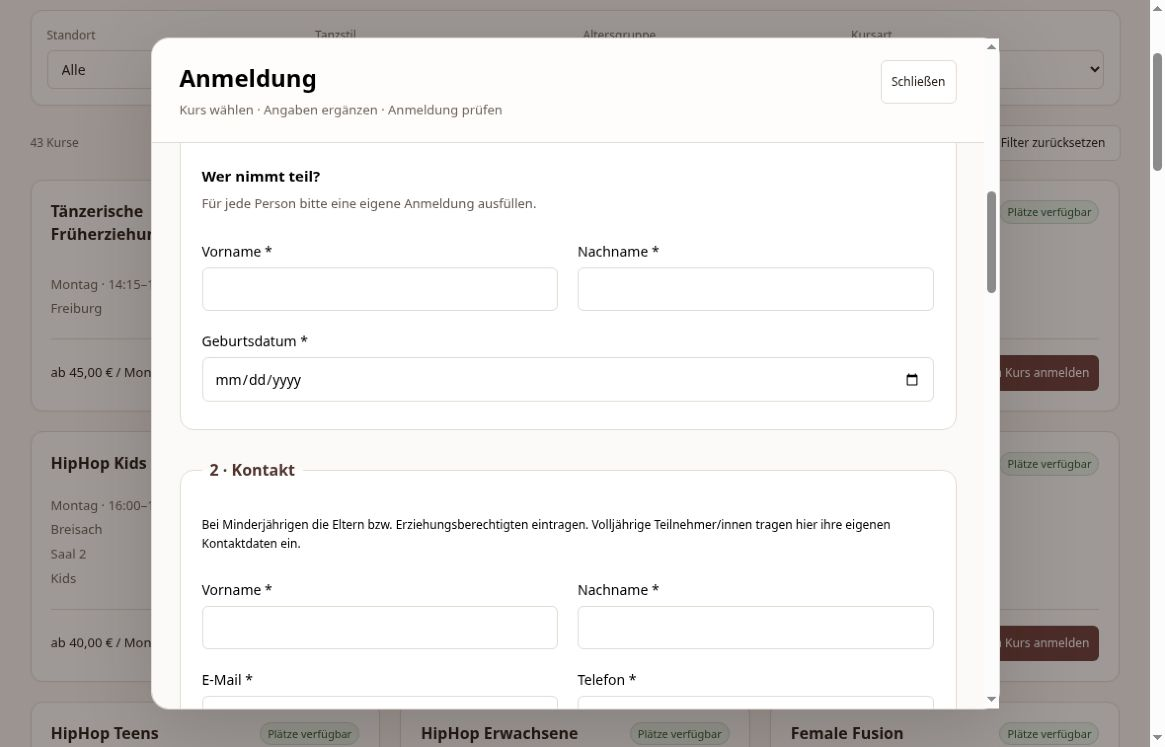
The registration experience distinguishes binding-registration requests, trial requests, enquiries and waiting-list requests. It collects the information needed for the relevant workflow, including participant and guardian contact details, contract or change information, start month, tariff and address. Payment preferences include SEPA direct debit and bank transfer. Privacy information is separate from optional consent to publish photos or videos, rather than bundling those different choices into one unchecked assumption.
Original German public request interface with empty participant and guardian fields. No private records are shown.
The working side of the system
Behind the public pages, the backoffice groups the tools around the school’s operational tasks. The case study describes the functions present in the application, not a measured claim about time saved or commercial performance.
01
Courses and attendance
Course records include time, location, room and status. A weekly plan supports the timetable view, while attendance is organised by course and date. This gives the administrative interface a concrete connection to the scheduled activity rather than leaving the timetable and participation records as unrelated screens.
02
Registration and booking review
The office worklist supports status, request type, area, responsibility, owner decision and search. Staff can review incoming registrations and bookings in an administrative context. The presence of a public form does not remove that review step or imply automatic acceptance of every submitted request.
03
Contracts and invoices
Contract workflows include PDF preparation, upload, review and billing controls. Electronic contract signing is also part of the platform’s contract functionality. Invoice administration includes month and status views, with settled and open states. These are software features; this case study does not make a legal-validity assurance about signatures or claim that payment transactions were tested.
One platform, distinct responsibilities
The project connects public-facing choices with the information an office needs to work through them. Visitors need a clear route to the right course and a precise explanation of what their request means. The backoffice needs structured records, review states and the related course, contract and invoice context. Keeping those responsibilities visible is a practical design decision: a polished booking screen should not hide who must confirm the request or what happens next.
What this case study shows
The public screenshots show the course catalogue and request interface without private participant information. The feature description covers the observed public journey and the backoffice inventory, with electronic signing confirmed as a project feature. No live registration, payment or signature was submitted during the case-study review. No performance metrics, testimonials or claims of fully autonomous operation are inferred from the interfaces.
If your process combines a public request with internal review, start by mapping the decisions, records and people involved. PREJ can discuss the scope of a tailored portal or backoffice around that workflow, including the boundaries that should stay under human control.